How to know your fax was delivered
What a fax confirmation really tells you, what to keep as proof, and what to do when the other side says it never arrived.
3 min read · · Markdown
You sent the fax. A week later, the office says it never arrived. With a fax machine, all you'd have is a slip of paper with “OK” on it. With an online fax service you can have more: a receipt with the date, the time and the pages delivered.
What “delivered” means
When a fax machine receives your pages, it tells the sending side, and the call ends. “Delivered” means the receiving fax machine accepted your pages.
It doesn't mean someone read them. Many offices share one fax line, print faxes on a machine down the hall or send them to a shared email inbox. Delivered means your pages reached that line.
Follow the fax as it goes
On Faxies, every fax has a page that updates by itself:
- Queued: ready and waiting for its turn.
- Sending: we're calling the recipient's fax machine and sending the pages.
- Retrying: the line was busy, nobody answered or the call dropped. We try again up to 2 more times at no extra charge.
- Delivered: the recipient's fax machine accepted the pages.
- Failed: we couldn't deliver it. The page says why, and you aren't charged.
We also email you when the fax is delivered or if it fails.
Your delivery receipt
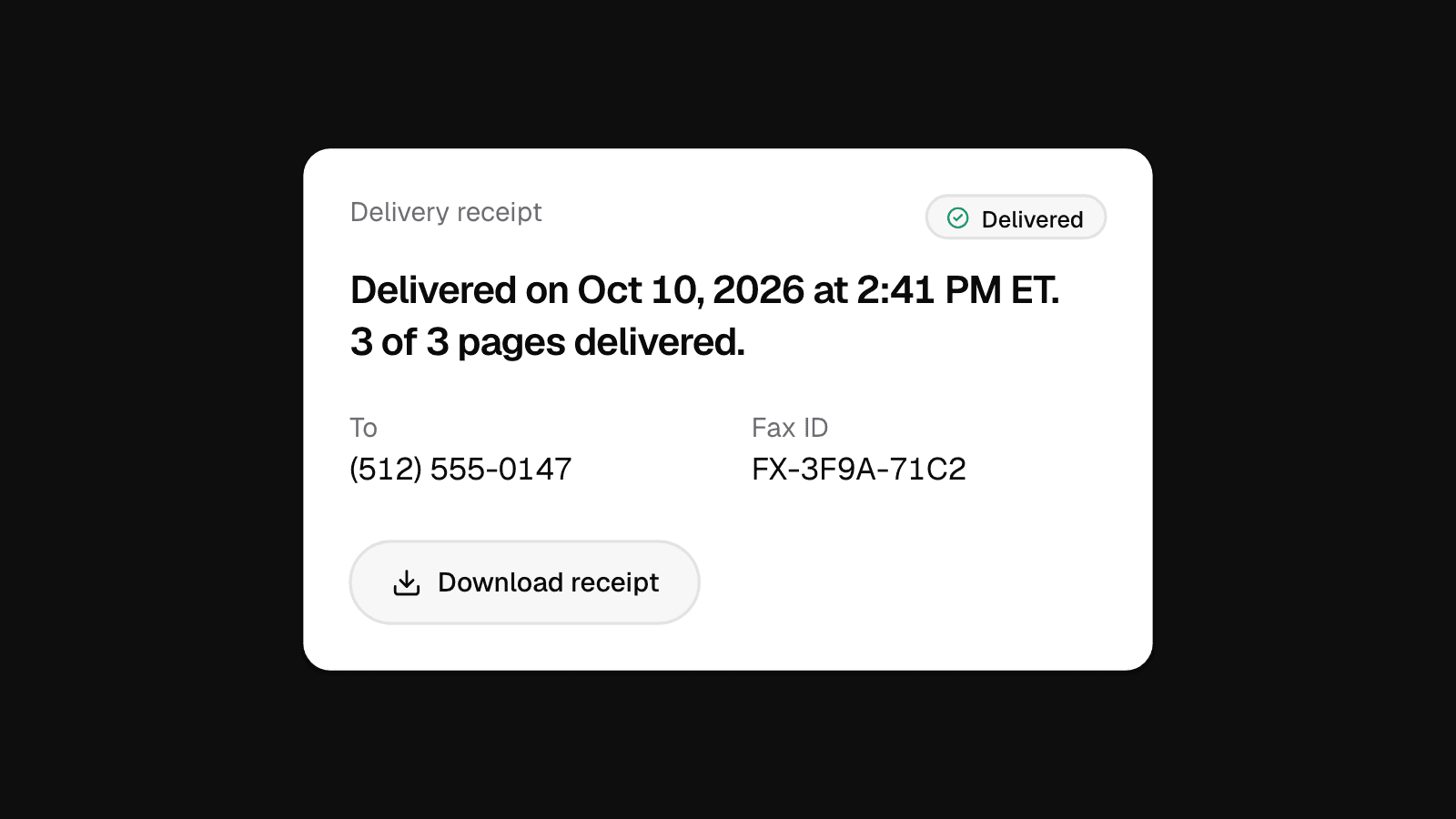
Delivery receipt
QueuedSendingDelivered- To
- (512) 555-0147
- Fax ID
- FX-3F9A-71C2
Open a delivered fax and press Delivery receipt. Press Download receipt to save it as a PDF. It shows:
- The date and time it was delivered, and the pages: for example, “3 of 3 pages delivered.”
- The recipient's fax number, who sent it and the number it came from.
- When it was sent, how long it took and how many attempts it needed.
- A fax ID you can quote if you write to us.
We delete the fax's documents 30 days after sending, but the receipt stays in your account. Download it anyway and keep it with your paperwork: it's your proof if anyone asks.
If they say it never arrived
- Send them the receipt. Give them the date, the time and the number it went to.
- Check the number. Compare the recipient's fax number on the receipt with the one they gave you. A wrong digit is easy to miss.
- Ask them to look on their side. The fax may be in a shared inbox, on another machine or with another department.
- Send it again if you need to, to a number they confirm.
If it didn't go through
A failed fax has a reason on its page, like “The line was busy after 3 tries” or “The number answered, but it isn't a fax machine.” For a single fax we release the hold on your card, so you pay nothing. Check the number with the recipient, then send it again from the fax's page.
Want the full list of statuses? See what each status means in our help center.